
A player app cannot make your internet any faster. What it controls is the handful of seconds after your line dips: whether the picture carries on from a stored reserve, whether the app reconnects or gives up, and whether it spends its effort drawing a guide for channels nobody in the house opens. On a fiber line those choices barely show. On a 4G router, a long copper line or a flat’s shared Wi-Fi, they decide whether a channel is watchable.
So this is not a league table. It is a list of the settings worth looking for, which players have them, and how to set them for the connection in your home.
What happens inside the player when the line dips
Every player keeps a buffer: a few seconds of video fetched ahead of what is on screen. While the line delivers faster than the channel plays, the buffer stays topped up. When the line falls below the channel’s rate, the player spends the reserve, and if the reserve runs out the picture freezes while it refills.
Put numbers on it. A Full HD channel needs about 10 Mbps. Say a 4G router delivers 14 Mbps most of the evening but sags to 6 Mbps for 20 seconds when the mast gets busy. The shortfall is 4 Mbps for 20 seconds, or 80 megabits. A buffer holding 8 seconds of that channel holds 80 megabits, and the dip passes without anyone noticing. A 3-second buffer holds 30 megabits, empties after about 7 seconds of the dip, and the picture stops.
Afterwards the buffer refills only from the spare above 10 Mbps. At 14 Mbps the spare is 4 Mbps, so putting back 80 megabits takes about 20 seconds, and two dips close together can still drain it.
That is also the limit of buffering. It smooths short dips; it cannot rescue a line whose average sits below the channel. If the line holds 8 Mbps all evening, no setting keeps Full HD playing, and the answer is the HD copy of the channel at about 5 Mbps. Those two tools, a buffer for the dips and the right copy for the average, cover nearly everything a player can do for a slow line.
| Quality | Steady speed per screen | Data per hour |
|---|---|---|
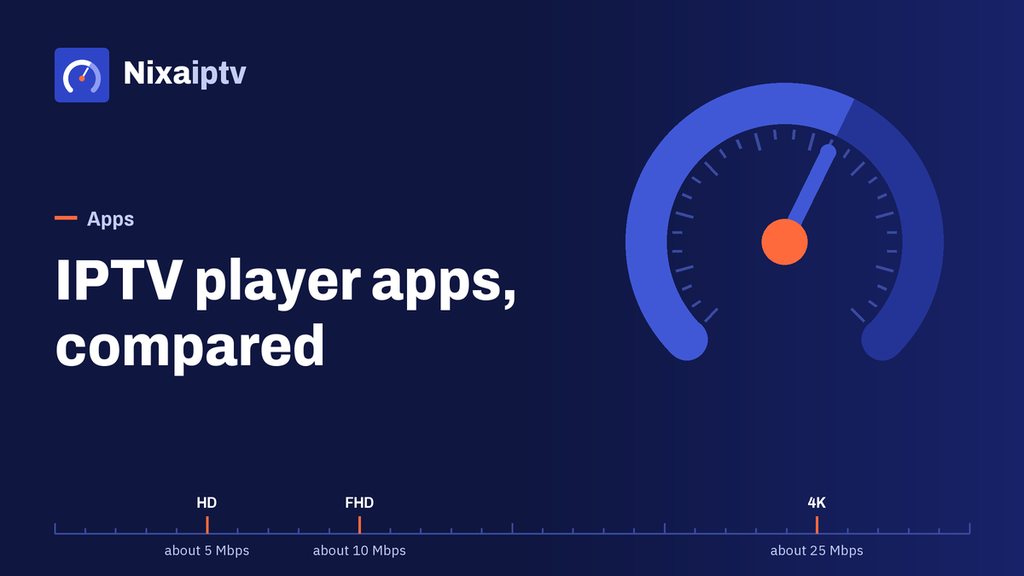
| HD (720p) | about 5 Mbps | about 2 GB |
| Full HD (1080p) | about 10 Mbps | about 4.5 GB |
| 4K (2160p) | about 25 Mbps | about 11 GB |
Five settings to look for in any player
1. Buffer size
A larger buffer has a price: each channel takes longer to start, because the player fills the reserve before showing anything. On a steady cabled line, leave the default alone. On a 4G or 5G router, satellite internet, or Wi-Fi shared by several people, raise it a step or two and live with the slower channel change. TiviMate offers a buffer size option among its playback settings. VLC calls the same thing network caching and counts it in milliseconds, 1,000 by default; 3,000 to 5,000 is a sensible range for a line that wanders. A player with no buffer control at all is a weaker fit for that kind of line.
2. Stream format and decoder
Players that log in with Xtream details can usually ask for a channel in one of two wrappers: MPEG-TS, a continuous stream, or HLS, delivered as a chain of short segments. Neither wins everywhere. If one channel stutters while the speed test looks healthy, try the other; IPTV Smarters Pro has a stream format choice in its settings for this. The decoder is the second switch. Hardware decoding uses the device’s video chip and is the right default. Software decoding uses the main processor, which rescues the odd channel the chip dislikes, but on a stick it can choke on 4K and produce a stutter that looks like a slow line when the line is perfectly fine.
3. Guide size and refresh schedule
The program guide downloads separately from the video and lives on the device. With 25,000+ channels in the full list, a complete guide is large, and modest hardware shows it: the guide opens slowly, scrolls in jerks, or the app restarts. Two settings help. Have the guide refresh once or twice a day rather than at every start-up, since tomorrow’s schedule rarely changes by the hour. And trim what the player loads: TiviMate Premium can hide whole channel groups, and for players that take a playlist, support can send an M3U trimmed to your country. Measured in data, the guide is small beside the video; on a capped plan it is the streams that eat the allowance.
4. Choosing the right copy of a channel
This is the most effective of the five and it is not really a setting. On Nixaiptv many channels are carried in more than one quality, a 4K feed beside an FHD or HD copy of the same channel. The player does not choose between them; whoever holds the remote does. Find the copy that suits your line, add it to favorites, and the rest of the household will open that one out of habit. Most players have favorites, though in TiviMate they belong to Premium. If you cannot tell which copy is which, ask support on WhatsApp and quote the speed you measured. On a line that will never carry 4K, hiding the 4K channels stops anyone choosing something that can only stall.
5. Catch-up and on-demand
Catch-up replays recent programs on channels that keep an archive, in players that support it, TiviMate and IPTV Smarters Pro among them. On an ordinary line its use is timing: something you missed during the busy hour can be watched later, once the video calls and game downloads in the house have stopped. The 120,000+ films and series in the on-demand library work the same way. Live television has to arrive in real time; a film can wait until the line is quiet.
Which players run on which screens
| Player | Runs on | Cost | What it offers a slow line |
|---|---|---|---|
| TiviMate | Android TV, Google TV, Fire TV (sideloaded), Android boxes | Free version; Premium bought through the TiviMate Companion phone app | Buffer size, guide refresh interval, catch-up in the grid; Premium unlocks several features, favorites and group hiding among them |
| IPTV Smarters Pro | Android, Fire TV, Samsung, LG, Windows, Mac; on Apple as Smarters Player Lite | Free | Stream format choice, hardware or software decoding, catch-up, same menus on every screen |
| Smart IPTV | Samsung from 2022 models (Tizen 6.5 and later), LG on webOS 3.0 and later | Trial, then a one-time fee per TV | Very light on TV hardware; few settings to adjust |
| IBO Player | Several TV platforms and Android devices; check your TV’s store | Trial, then a paid activation | Runs on the TV itself; playlist added through a web page |
| GSE Smart IPTV | Apple and Android devices | Free version available | Switchable playback engines for awkward channels |
| iPlayTV | Apple only | Paid | A polished option when an Apple TV is the main screen |
| VLC | Windows, Mac, Linux, Android, iPhone and iPad | Free | Network caching in milliseconds; ideal for testing, no real guide |
The players, judged by those settings
TiviMate
Android only: Google Play on Android TV and Google TV, the Downloader app on a Fire TV stick. Its guide is a proper grid with catch-up marked on it, and its settings include a buffer size option and a refresh interval under the TV guide section. Favorites, group hiding, recording and multiple playlists come with Premium, which is bought in the separate TiviMate Companion app on a phone, not on the television.
One thing to know before recording on a slow line: a recording downloads the stream exactly as watching does. Recording one Full HD channel while watching another uses about 20 Mbps and two of your plan’s connections. Our TiviMate guide covers the login.
IPTV Smarters Pro
Smarters runs on almost every screen and costs nothing; on iPhone, iPad and Apple TV the free version is called Smarters Player Lite. In its player settings, choose the built-in player with hardware decoding, and if one channel misbehaves while the rest are fine, switch just that channel to software decoding from the player menu rather than changing the global setting. The stream format choice is the other lever. For a household with mixed devices on a weak line, the real advantage is sameness: “pick the FHD copy” means the same thing on every screen. Setup is in our Smarters guide.
Smart IPTV and IBO Player
Both live on the television itself, with no box, and neither has a login screen. Instead the app shows the TV’s MAC address and you attach your playlist to it through the developer’s web page. Smart IPTV runs on Samsung sets from 2022 on and LG sets on webOS 3.0 or later, gives you a trial week, then charges a one-time activation per set; that money goes to the app’s maker and has nothing to do with your subscription. IBO Player works the same way with a MAC address and device key. Both are light enough for older TV hardware, and both offer little to adjust, so on these the copy of the channel you choose is the main lever. If the TV has an Ethernet socket, use it; even a 100 Mbps port is four times what 4K needs. See our Smart IPTV guide.
GSE Smart IPTV and iPlayTV on Apple
Apple devices have no sideloading and no TiviMate. Smarters Player Lite is the free place to start. GSE Smart IPTV offers more than one playback engine, and swapping engines sometimes gets a stubborn channel going. iPlayTV is paid and Apple-only, worth it when the Apple TV is the main screen in the house. Our Apple guide has the details.
VLC
VLC is a diagnostic tool more than a daily player. On a computer, choose Media, then Open Network Stream, and paste your M3U link; tick Show more options in that window to raise the caching value. If a channel plays cleanly in VLC on a laptop with a cable but stutters on the television, the line is fine and the problem sits between router and TV. The M3U guide explains the link.
Settings for three everyday lines
A copper DSL line holding a steady 12 Mbps
Steady means the default buffer is enough. One Full HD screen wants about 10 Mbps plus about 5 of headroom, so Full HD works when the rest of the house is quiet and HD is the safe favorite for everyone else. One screen at a time. Guide refresh once a day.
A 5G router whose speed swings through the evening
Raise the buffer a step or two in TiviMate, or set VLC’s caching to 3,000 to 5,000 milliseconds. If a channel stalls in MPEG-TS, try HLS in Smarters. Then look at the data. Three hours a night of Full HD is about 13.5 GB a day, around 405 GB over 30 days. The same evenings in HD use about 6 GB a day, around 180 GB a month. If your plan has an allowance, those two numbers settle the choice of copy.
Four flatmates on one 50 Mbps connection
Keeping roughly a third of the line back for headroom leaves about 33 Mbps for television. Two Full HD screens and two HD screens come to about 30 Mbps and fit; four Full HD screens at about 40 Mbps do not. Put Smarters on every device so the instructions are the same for everyone, favorite the HD copies on the two screens farthest from the router, and remember that four people watching at once is four connections, which means a five-connection plan.
Telling the player from the line during the free trial
The 24-hour free trial is the place to sort this out, on your own line, at the hour you usually watch. Activation takes under 15 minutes. Then work down this list and stop at the first step that changes anything:
- Run a speed test on the TV device itself, not on a phone by the router, and compare it with the table above.
- Play the same channel in a second player on the same device. If both stall, the player is not the cause.
- Switch to the HD copy. If it plays cleanly, the line’s average is the limit; keep that copy as the favorite.
- Try a cable, or move the device near the router. If that cures it, the Wi-Fi path was the problem.
- Change the decoder or stream format for a single stubborn channel when the measured speed is comfortably above what it needs.
Every player above accepts a Nixaiptv account, which arrives as an Xtream Codes login with an M3U link alongside it; the Xtream login guide explains the three fields. If a step in the list leaves you unsure, support answers on WhatsApp 24/7.
Follow-up questions on this topic
Does a bigger buffer stop buffering?
It stops short dips from reaching the screen, which is most of what goes wrong on a 4G router or busy Wi-Fi. It cannot help when the line's average speed is below the channel's needs, for example 8 Mbps all evening against about 10 Mbps for Full HD. Then the HD copy is the fix, not the buffer.
Should I choose MPEG-TS or HLS?
Start with whatever the player picks by default. If one channel stutters while a speed test on the TV device shows plenty of headroom, switch that player to the other format and compare. Neither is better on every line, and the change takes seconds to try and to undo.
Hardware or software decoding: which should I use?
Hardware decoding, as the default, because the video chip handles the work efficiently. Keep software decoding for the occasional channel that refuses to play otherwise. On a stick, software decoding of 4K often stutters, which can be mistaken for a slow internet line.
Does the program guide use much of my data allowance?
Very little next to the video itself. An hour of HD is about 2 GB and an hour of Full HD about 4.5 GB, which dwarfs a guide refresh. The guide matters more for device memory and speed, so refresh it once or twice a day and hide groups you never watch where the player allows it.
Can I use the same login in two different apps?
Yes. The same Xtream details work in every player on every device. What counts is how many streams play at the same moment: each one uses a connection, and plans cover one, two, three or five at a time. A recording running in the background counts as one too.
Which app suits a Samsung or LG TV on a slow line?
IPTV Smarters Pro if you want stream format and decoder choices, or Smart IPTV when an aging set needs the lightest app (Samsung from 2022 models, LG on webOS 3.0 or later). Either way, plug the TV into Ethernet if it has a socket and favorite the copy of each channel your speed can carry.
A plan sized to the line you already have
One screen for a month costs $15. The login reaches you in the WhatsApp chat under 15 minutes after payment, and 7 days of money-back cover the first week on your own connection.
Keep reading
IPTV vocabulary, starting with the words on your internet bill
35 IPTV terms sorted by where they turn up at home: on the internet bill, between router and TV, inside the stream,…
September 19, 2026Cable TV or IPTV: which one suits the internet line in your home
Cable brings its own wire and box; IPTV borrows the broadband you already have. How the two compare on installation, Mbps per…
September 19, 2026IPTV vs OTT streaming: how each one behaves on an ordinary home line
Streaming apps adapt their picture to your line every few seconds; an IPTV channel list plays the fixed copy you pick. What…