
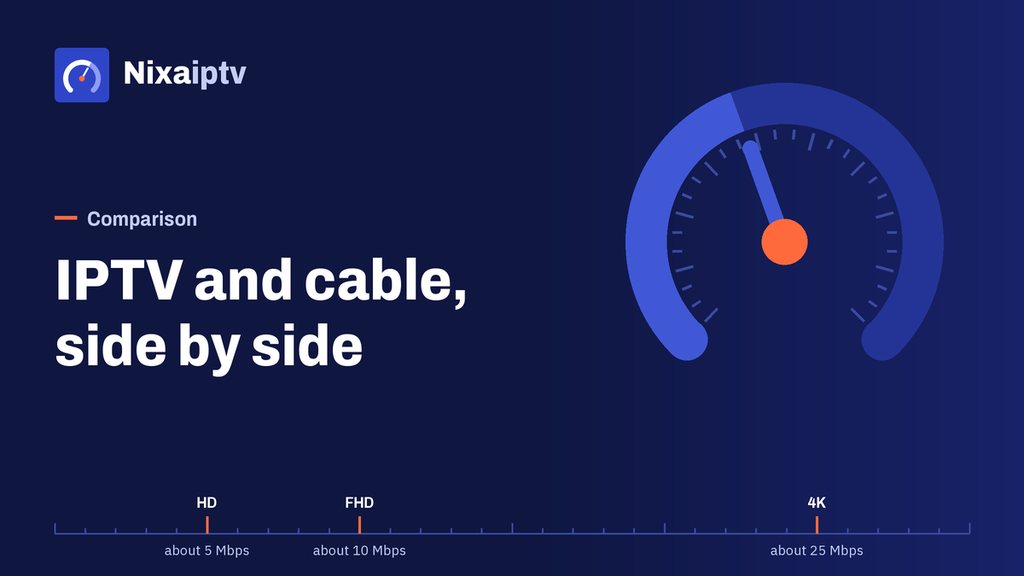
Cable television runs its own wire into your home; IPTV borrows the broadband line you already have. Nearly every difference between the two grows out of that. Cable asks for an installation, a receiver at each television and usually a signed agreement, but it leaves your internet alone. IPTV needs nothing new on the wall, yet each screen that plays takes its slice of your connection: about 5 Mbps in HD, about 10 Mbps in Full HD, about 25 Mbps in 4K. So the useful question is less about channel counts or price and more about what your own line holds on an ordinary evening. This page compares the two from that starting point.
Two routes into the living room
Cable TV reaches the house over a coaxial line from the street, often the same kind of line that brings cable internet. The operator sends its whole channel line-up down that line continuously, and the receiver beside each set tunes to the one you choose. Satellite TV follows the same pattern with a dish instead of the coax. In both cases the channels arrive whether or not anyone is watching, on capacity set aside for television.
IPTV sends nothing until a device asks for it. When you open a channel in a player app, a server sends that channel to that device alone, over the internet and through your ordinary router. A home watching three different things receives three separate streams, and all three share the line with the laptops, phones and game consoles.
What each one asks of the house
| Cable or satellite TV | IPTV | |
|---|---|---|
| Wiring | A coax outlet in each TV room, or a dish with a clear view of the sky | Nothing beyond the router you already have |
| At each television | A receiver, usually rented from the operator | A stick, box or smart TV app you own |
| Getting started | An installer’s visit or a self-install kit | A login sent on WhatsApp, active in under 15 minutes |
| Adding a room | Another outlet and another receiver | The same login on one more device, within your connection count |
| When you stop | Rented equipment goes back to the operator | Nothing to send anywhere |
Most homes already own something that runs a player app: a Fire TV Stick, an Android TV box, an Apple TV, a Samsung or LG smart TV, a laptop. Each has its own walkthrough among the setup guides. The one thing worth adding on a modest line is not a device at all but a short Ethernet cable, or a mesh unit if the router is far from the TV.
What each one asks of your internet connection
This is where the two differ most, and it is the row most comparisons hurry past.
Traditional cable television uses none of your broadband. Even when the same operator supplies your internet over the same coax, the TV channels travel on frequencies of their own, so a houseful of laptops does not touch the picture and the picture does not count toward any data allowance.
IPTV is internet data, so it lives inside whatever your line can do:
| Quality | Steady speed per screen | Data per hour |
|---|---|---|
| HD (720p) | about 5 Mbps | about 2 GB |
| Full HD (1080p) | about 10 Mbps | about 4.5 GB |
| 4K (2160p) | about 25 Mbps | about 11 GB |
Screens add together, and the rest of the house needs room as well, so leave roughly half as much again on top of the television streams. Two Full HD screens want about 20 Mbps between them; a line that holds about 30 Mbps steadily carries them with space left for phones and a video call. What counts is the speed held over minutes, measured on the TV device. The figure on the bill and the delay (ping) shown in a speed test matter much less.
How a modest line changes the answer
Four ordinary connections, and which way the comparison leans on each.
A copper DSL line holding about 12 Mbps
One television in HD (about 5 Mbps) runs comfortably. One in Full HD (about 10 Mbps) works when little else is busy. Two televisions at once means two HD streams and a fairly quiet line otherwise. For a household of one or two that mostly watches on one screen, IPTV fits this line well. For a family that wants three sets running together every evening, it does not, and cable’s separate wire is a real advantage there.
A 4G or 5G router with a monthly allowance
Speed is often fine on these; the allowance is usually the limit. Three hours a day of Full HD is about 13.5 GB, roughly 400 GB over a month. The same viewing in HD is about 6 GB a day, roughly 180 GB a month. On a 200 GB plan, HD viewing fits and Full HD does not. Cable never draws on the allowance, but homes that rely on a mobile router often do so because no cable or fiber line reaches them, in which case the comparison is with a satellite dish rather than with coax.
A 50 Mbps line shared by four people
The line itself carries two Full HD screens (about 20 Mbps) with room to spare, or one 4K screen (about 25 Mbps) and a few phones. The risk is inside the walls: a router at the far end of the house, a television on crowded 2.4 GHz Wi-Fi, a console pulling down a large game after dinner. An Ethernet cable or a mesh unit to the main TV usually settles it. On a line like this the comparison tends to tip toward IPTV, provided the home network is in order.
Satellite internet in a rural home
Satellite broadband carries HD and Full HD streams when its speed holds steady, and its high latency makes no difference to watching. Look for a data allowance or a priority-data limit on the plan and size your viewing to it. Where neither cable nor fiber reaches, the real choice is between a TV dish of its own and a share of the internet dish, and the same arithmetic applies.
What each one costs
Cable pricing has several parts: a monthly package charge that depends on the channel tier, a rental charge for each receiver, sometimes an installation or activation charge, and taxes and fees listed on the statement. Introductory prices commonly rise once the first term ends. Amounts vary widely by operator and region, so the quote or statement in front of you is the only figure worth using.
IPTV pricing here has two variables, the length of the term and the number of screens that can play at once:
| Term | 1 connection | 2 connections | 3 connections | 5 connections |
|---|---|---|---|---|
| 1 month | $15 | $25 | $35 | $49 |
| 3 months | $29 | $49 | $65 | $99 |
| 6 months | $45 | $75 | $99 | $149 |
| 12 months | $69 | $119 | $159 | $239 |
The term length moves the price most: a year for one screen is $69 paid up front, while twelve single months at $15 come to $180, which is $111 more. The connection count should follow your line as much as your household. When every screen is under one roof, five connections help little if the line into the house can only carry two Full HD streams at a time. Your broadband charge is not part of this table, since IPTV runs on the line you already have; if your internet is bundled with cable TV, ask the operator whether its price changes when the TV part ends. The full breakdown of IPTV costs covers devices and apps as well.
Agreements, and getting out of them
Cable service is often sold on a fixed term, and ending it early can bring a cancellation charge as well as a deadline for returning rented receivers. The exact conditions differ between operators, so the agreement itself is the place to check.
A Nixaiptv plan is prepaid for a length you pick: 1, 3, 6 or 12 months. No installer is booked and no hardware is lent. Before you pay, the 24-hour free trial runs on your own line; after you pay, a 7-day money-back period covers the first week. Starting with one month, then moving to a longer term once a few ordinary evenings have gone well, keeps the commitment small while you learn what your connection does.
When the internet drops, or just gets busy
Here cable has a genuine edge, and it follows straight from that separate wire. If the router fails or your internet provider has an outage, cable TV normally carries on; IPTV stops on every screen until the connection returns. The exception is a fault on a coax line that carries both services, which silences both at once.
The quieter difference is sharing. IPTV competes with everything else in the house, and on a modest line that competition is real: a video call in the kitchen and a game update upstairs take their share whether the television is playing or not. Cable never has to negotiate. On a fast line this barely registers. On a 12 Mbps line with four people at home it decides the evening, and the practical answer is to match quality to what is left, HD on the second screen and the lighter copy of a channel when the house is busy. Many channels are carried in more than one quality for exactly that reason.
The servers, and the spare quality versions, are the part we look after, with a 99.9% uptime record. The line, the router and the Wi-Fi belong to you and your internet provider, and no service can promise a steady picture through a router two rooms away on 2.4 GHz.
Channels and picture, side by side
A cable package carries the channels of its tier, chosen for the region it serves and usually including local stations. Nixaiptv carries 25,000+ live channels from 60+ countries and 120,000+ films and series. Coverage of particular local stations varies by area, so search the channel list for any you depend on and play them during the trial.
On picture, cable’s quality is fixed by the operator and does not move with your internet. IPTV’s depends on the version you open: 4K where the line holds about 25 Mbps for that screen, Full HD at about 10, HD at about 5. On a modest connection, a steady Full HD or HD picture is a better evening than a 4K one that keeps pausing; the 4K page covers when 4K is realistic.
Which way it leans for your home
IPTV is likely the better fit when:
- your line holds, steadily, about 15 Mbps for each Full HD screen you want running together (or about 8 Mbps for each HD screen);
- the channels you care about are national or international rather than strictly local;
- you would rather prepay a term you choose than sign an agreement;
- the main TV can be reached by an Ethernet cable or a strong 5 GHz signal, or can be with a mesh unit or powerline adapter.
Cable is likely the better fit when:
- the line is slow and the household wants several screens playing at the same moment;
- a monthly data allowance would not stretch to your viewing hours, even in HD;
- the television has to keep working through internet outages;
- a local station you rely on is not in the channel list.
A one-evening test of your own line
You can find out which list describes your home before changing anything.
- Leave the cable receiver where it is. The test does not depend on canceling anything.
- Measure on the IPTV device. Run a speed test two or three times on the stick, box or TV, at the hour you usually watch, and note the lowest reading.
- Work out a television budget. Divide that reading by 1.5 so the rest of the house keeps its share. Spend the result at about 5 Mbps per HD screen, about 10 per Full HD, about 25 per 4K.
- Start the trial and play your usual channels on every screen that normally runs at once, at the quality the budget allows.
- On a capped plan, read the data counter in the router or your provider’s app the next morning and set it against the evening’s viewing.
If the evening plays smoothly at a quality you are happy with, the line is enough. If it does not, try the lighter copy of each channel and an Ethernet cable before drawing a conclusion, and ask on WhatsApp, where support answers 24/7. For the basics behind all of this, see what IPTV is, and for every term on the speed test and the setup screen, the IPTV glossary.
Follow-up questions on this topic
Does cable TV count against my internet data allowance?
Traditional cable television does not: its channels travel on frequencies set apart from the internet service, even on the same coax line. IPTV is internet data, so every hour counts, about 2 GB in HD, about 4.5 GB in Full HD and about 11 GB in 4K. On an unlimited plan this makes no difference; on a capped one, work out a month of viewing first.
Can IPTV run over the same coax line as my cable internet?
Yes. If a cable operator supplies your internet, IPTV simply uses that internet connection through your router, like any other app. The coax carries it as ordinary data. You do not need the cable TV package or its receiver for IPTV to work.
Which needs more equipment at home, cable or IPTV?
Cable usually needs a coax outlet and a receiver at each television, often rented. IPTV needs a device that runs a player app, such as a Fire TV Stick, Android TV box, Apple TV or a Samsung or LG smart TV, which many homes already own. On a modest line, the most useful extra is an Ethernet cable or a mesh Wi-Fi unit to the main TV.
What happens to IPTV when my internet goes down?
It stops on every screen until the connection comes back, because the channels arrive as internet data. Cable TV usually keeps working through an internet outage, unless the fault is on a coax line that carries both services. If a television that never goes quiet matters in your home, weigh that before switching.
Is the picture better on cable or on IPTV?
It depends on your line more than on the technology. Cable shows whatever quality the operator sends, regardless of your internet. IPTV can show 4K, Full HD or HD depending on the version you open and what your line holds: about 25, about 10 or about 5 Mbps per screen. On an ordinary connection, a steady Full HD picture is usually the best balance.
Is 25 Mbps enough to watch IPTV instead of cable?
For many households, yes, if the speed holds steadily. 25 Mbps covers one Full HD screen with plenty of room, two HD screens, or one Full HD and one HD with a little to spare, once the rest of the house has its roughly half-again share. It does not leave room for 4K. The 24-hour trial on your own line, at your usual viewing time, confirms it.
A plan sized to the line you already have
One screen for a month costs $15. The login reaches you in the WhatsApp chat under 15 minutes after payment, and 7 days of money-back cover the first week on your own connection.
Keep reading
IPTV vocabulary, starting with the words on your internet bill
35 IPTV terms sorted by where they turn up at home: on the internet bill, between router and TV, inside the stream,…
September 19, 2026IPTV vs OTT streaming: how each one behaves on an ordinary home line
Streaming apps adapt their picture to your line every few seconds; an IPTV channel list plays the fixed copy you pick. What…
September 5, 2026Best IPTV box for an ordinary connection: ports, Wi-Fi bands and decoders
How to choose an IPTV box by the way it reaches your router, the Wi-Fi band it will really use, whether it…