
Picture a router in the hallway, a television two rooms away and a line that shows 18 Mbps when you stand beside the router. No streaming box will raise that 18. What the box decides is how much of it survives two walls on the way to the screen, and whether its chip can unpack the picture once it arrives. So the order of questions is fixed: how the box reaches the router, which formats it decodes, how much room it leaves the player app, and only then the name on the remote.
This guide is for homes on everyday connections: copper DSL, a 4G or 5G router on a windowsill, satellite internet, a flat where four people share one Wi-Fi network.
The load a box has to carry
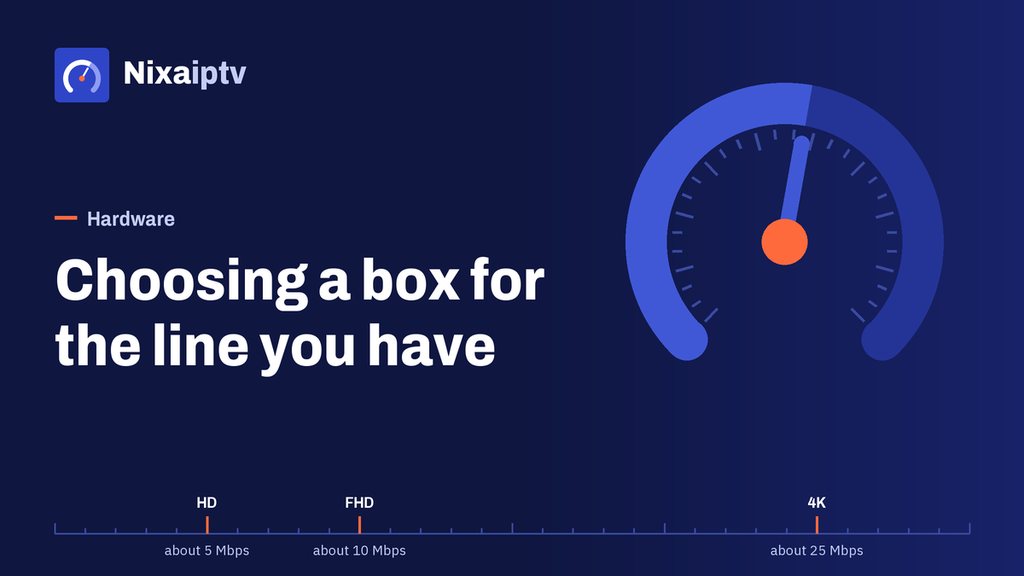
Every figure in this guide comes back to one small table. It is what a single screen needs, held steady, for each quality.
| Quality | Steady speed per screen | Data per hour |
|---|---|---|
| HD (720p) | about 5 Mbps | about 2 GB |
| Full HD (1080p) | about 10 Mbps | about 4.5 GB |
| 4K (2160p) | about 25 Mbps | about 11 GB |
Screens add together, so two Full HD televisions running at once want about 20 Mbps. On top of that, keep roughly half as much again free for the phones, laptops and background updates that share the line. One Full HD screen is therefore comfortable on about 15 Mbps that stays put for minutes at a time. A speed test that touches 40 and then sinks to 6 matters less for its peak than for its low point.
Processor speed is not on that list. Any streaming device sold today decodes a Full HD channel; devices differ in how they reach your network, which formats their hardware handles, and how much memory the player gets.
Question one: can a cable reach the television?
A wired Ethernet link takes away the most common reason an adequate line still stutters: Wi-Fi that sags when someone walks between router and TV, when the flat next door crowds the same channel, or when the microwave runs on the 2.4 GHz band. If a cable can physically get to the TV, the box only needs a way to take it.
Built-in port, adapter or the TV’s own socket
- Built in. The Nvidia Shield TV, the Google TV Streamer, Formuler and MAG boxes, most Android TV boxes, the Roku Ultra, and the current Apple TV 4K in its 128 GB version all have an Ethernet socket.
- Through an adapter. Fire TV sticks and the Chromecast with Google TV have no socket, but their makers sell adapters that carry power and Ethernet through one plug. The maker’s own adapter is the safe buy; third-party ones work on some sticks and not on others.
- The television itself. If the player app runs on the smart TV, the TV’s own Ethernet socket counts.
A port marked 10/100 is no reason to hesitate. 100 Mbps is four times what a 4K stream needs. Gigabit ports are pleasant on a spec sheet and change nothing about watching television.
When the cable cannot get there
Powerline adapters send the network through the home’s electrical wiring. One unit plugs into a wall socket near the router, the other near the television, and a short cable joins the second one to the box. How well that works depends on the wiring, so plug both straight into wall sockets rather than extension strips, buy from a shop that takes returns, and run a speed test through the pair before you decide to keep it. A mesh Wi-Fi kit solves the same problem from the other direction, with a second unit placed roughly halfway between the router and the screen. Both fix the path without changing the box, and on many ordinary lines the path is the whole problem.
Question two: which Wi-Fi will it really use?
When cable is ruled out, the box’s wireless hardware matters, though less than the router it talks to. A device can only use a Wi-Fi generation that the router also speaks.
| Standard | Bands | What it means at the television |
|---|---|---|
| Wi-Fi 4 (802.11n) | 2.4 GHz, sometimes 5 GHz | Fine for HD near the router; often short of headroom for Full HD through several walls |
| Wi-Fi 5 (802.11ac) | 5 GHz, with 2.4 GHz alongside | Plenty for 4K in the same room or the next one |
| Wi-Fi 6 (802.11ax) | 2.4 GHz and 5 GHz | Holds up better when many devices share the network |
| Wi-Fi 6E | Adds 6 GHz | Helps only with a 6E router, and 6 GHz has the shortest reach of all |
The band matters more than the generation. 5 GHz carries more data but fades quickly through brick, concrete and floors; 2.4 GHz is slower and busier but gets through walls that stop 5 GHz. With the router in the same room or one wall away, put the box on 5 GHz. Two or three walls away, test both, because a 2.4 GHz link that holds 20 Mbps all evening beats a 5 GHz link that swings between 80 and 4.
It follows that a Wi-Fi 6E stick in a home whose internet provider supplied a Wi-Fi 5 router will run as a Wi-Fi 5 stick. It will still work well; it is simply not worth paying extra for the E.
Where the box will sit
A stick pushed straight into an HDMI socket hangs behind the television’s metal back, about the worst spot in the room for an antenna. Fire TV sticks come with a short HDMI extender for that reason; use it. A box shut in a closed cabinet suffers twice, from weaker signal and from heat, since a hot stick slows itself down to cool off. Run a cable to it or move it onto the shelf.
Question three: what can its chip decode?
Most HD and Full HD channels are carried in H.264, which every device from the last decade decodes in hardware. 4K channels are commonly carried in HEVC, also written H.265, a newer format that fits a similar picture into less data. A device without HEVC hardware either refuses those feeds or decodes them in software, and on a stick software decoding produces a stutter that looks exactly like a slow line even when the line is fine.
The 4K streamers from the large manufacturers all decode HEVC: the Fire TV Stick 4K and 4K Max, the Chromecast with Google TV and the Google TV Streamer, the Nvidia Shield TV and the Apple TV 4K. The doubt sits with cheap unbranded boxes and older set-top boxes, whose listings may promise “4K output” without saying which formats the chip handles. Look for H.265 or HEVC in the decoding specification, not merely 4K on the packaging.
Now the part that saves money on an ordinary connection. If your line holds 12 Mbps at the television, 4K is not on the menu whatever the box can decode, and the Full HD copy of a channel is the one you will watch. On Nixaiptv many channels are carried in more than one quality, a 4K feed beside an FHD or HD copy of the same channel, so the box only has to handle the version your line can bring in. A modest device on a cable will serve a 12 Mbps line better than a flagship on weak Wi-Fi. Pay for 4K decoding when the line can hold about 25 Mbps per 4K screen plus headroom, or when you know a faster line is coming. Our 4K page covers that decision in more detail.
Question four: room for the player app
The box runs a player app such as TiviMate or IPTV Smarters Pro (our guide to IPTV apps covers them by their settings), and the player keeps a channel list and a program guide in memory. With 25,000+ channels on the full list, the guide is a large file. On a device with 1 GB of memory it loads slowly, scrolls in jerks and can be pushed out of memory when you switch apps. Treat 2 GB of RAM as the practical floor. More makes the guide quicker and does nothing for the picture.
Storage matters more quietly. An 8 GB stick has a good deal less than 8 GB free once its own system and updates are installed, and players keep cached guide data that grows. Add three other streaming apps and the stick can run short. The fix costs nothing: where the player allows it, hide the channel groups you never watch so it stores less, and clear the app’s cache now and then. If you mean to record programs on the box, storage becomes the main buying point, and a box with a USB socket for a drive suits you better than a stick.
The usual devices, sorted by how they connect
Model numbers change every year or two, so check the exact listing before buying. These are the families you will meet.
| Device | Wired option | Wi-Fi | How players get onto it |
|---|---|---|---|
| Fire TV Stick 4K / 4K Max (current models) | Amazon’s adapter | Wi-Fi 6 / Wi-Fi 6E | Amazon’s store; others sideloaded with Downloader |
| Chromecast with Google TV | Google’s power-and-Ethernet adapter | Wi-Fi 5 | Google Play |
| Google TV Streamer | Built-in port | Wi-Fi 5 | Google Play |
| Nvidia Shield TV and Shield TV Pro | Built-in gigabit port | Wi-Fi 5 | Google Play |
| Apple TV 4K (current model) | 128 GB version only | Wi-Fi 6 | Apple’s App Store only; no TiviMate |
| Formuler boxes | Built-in port | Varies by model | MyTVOnline built in, plus Android players |
| MAG boxes | Built-in port | Only on models with built-in Wi-Fi | Portal tied to the box’s MAC address |
| Other Android TV boxes | Usually built in | Varies | Google Play if the box is certified |
| Roku | Ultra and some Roku TVs | Varies | Main IPTV players absent; no sideloading |
Notes on the families
Fire TV sticks are the cheapest way to add a modern decoder to an older television, and the 4K Max’s 16 GB of storage gives a big guide more room than the 8 GB of the 4K. Players missing from Amazon’s catalog, TiviMate among them, are sideloaded with the Downloader app; our Firestick guide has the menus. Amazon has started moving newer sticks to its own Vega OS, which cannot sideload; the Fire TV Stick 4K Select is one of them. If you plan to sideload a player, confirm the listing says Fire OS.
Chromecast with Google TV and the Google TV Streamer install players straight from Google Play with no sideloading. Google replaced the Chromecast with the Streamer in 2024, and the Streamer’s built-in Ethernet port is the practical reason to prefer it for a television far from the router. Setup is in our Android TV guide.
Nvidia Shield TV has a gigabit port and the Pro version adds USB sockets for a recording drive. Its strength is a quick guide, not the picture: on 12 Mbps it shows the same Full HD as a stick.
Apple TV 4K runs players from the App Store only. TiviMate does not exist on Apple hardware; Smarters Player Lite, the free Apple version of IPTV Smarters, is the usual choice there, and our Apple guide walks through it.
Formuler and MAG are dedicated IPTV boxes with an Ethernet socket on every model and a remote built around the guide. A MAG works from a portal address linked to its MAC address: you send the MAC to support on WhatsApp and the portal is switched on at our end. Older MAG models predate HEVC and 4K, so read the model number before assuming. Both are covered in our MAG and Formuler guide.
Other Android TV boxes vary from excellent to useless. Before buying, check for Google certification (so Google Play and its TV apps work properly), HEVC listed among the decoded formats, at least 2 GB of RAM, a wired Ethernet port, dual-band Wi-Fi rather than 2.4 GHz alone, and a named brand that still issues firmware updates. Ignore core counts and any mention of 8K.
Roku suits IPTV poorly: no sideloading, and its store lacks the established players. If one is already under your television, our Roku guide covers what works; if you are choosing now, pick something else.
Three ordinary lines and the box that suits each
A copper line holding 14 Mbps, television beside the router
One Full HD screen wants about 10 Mbps plus about 5 of headroom, so 14 Mbps sits at the edge: Full HD works when the rest of the home is quiet, HD (about 5 Mbps, with room to spare) works all the time. 4K is out. Any 1080p-capable device on a short cable does the job, and a 4K Max’s extras buy nothing here. If the TV is a recent smart TV, its own app and Ethernet socket may be enough, which costs nothing.
A 4G router on the windowsill with a 150 GB monthly allowance
Speed may be fine; data is the limit. At about 4.5 GB an hour, 150 GB covers roughly 33 hours of Full HD in a month. At about 2 GB an hour for HD, the same allowance covers about 75 hours. The box choice is about reach and control: a device with a good 2.4 GHz radio if the router is far away, or a flat Ethernet cable run along the skirting board from the windowsill. Then pick the HD copies of the channels you watch and keep them as favorites, so the household does not drift onto Full HD by accident.
A 70 Mbps line shared by four, router behind two walls
Here the line is not the problem. 70 Mbps less a third kept back for headroom leaves about 46 Mbps for television, enough for two Full HD screens and a 4K one at the same moment. Two walls of Wi-Fi are the problem. A Wi-Fi 6 stick on 5 GHz may cope if the signal holds; if a speed test on the stick itself swings wildly through the evening, a powerline pair or a mesh node near the TV is the better purchase, and the existing stick can stay.
Test before you buy anything
The cheapest box is the one already in the house. A smart TV from the last several years, a stick bought for another service, a laptop with an HDMI lead: most homes have something that runs a player. Take the 24-hour free trial on that, at the hour you normally watch, and run a speed test on the TV device itself rather than on a phone next to the router. Then read the result like this:
- Full HD plays cleanly on what you own. You may not need to buy anything at all.
- It stutters on Wi-Fi but plays on a cable or next to the router. The fix is a cable, a powerline kit or a mesh node, not a new box.
- The speed test on the device shows plenty and holds steady, Full HD plays, yet 4K stutters. Now the decoder is the limit, and a new box pays for itself.
- The device measures under about 15 Mbps even on a cable. Use HD or Full HD copies and keep the box you have. A faster device cannot add speed.
If the trial behaves oddly, message support on WhatsApp, any hour of the day, with the speed you measured; they can point you to the copy of a channel that fits it. Device walkthroughs live in our setup section.
Boxes to leave on the shelf
- “Fully loaded” boxes sold with channels and a lifetime subscription already inside. Nobody answers for the service behind them, the firmware is often modified, and there is no trial or refund to fall back on.
- Listings that sell numbers instead of formats. Eight cores, 8K, 128 GB “ROM” with no mention of HEVC or which Wi-Fi bands it uses.
- Sticks powered from the TV’s USB port. Many TV ports supply too little current and the stick reboots or slows. Use the power adapter in the box.
With the device settled, the remaining choice is how many screens play at once: plans cover one, two, three or five, listed with every term on our prices.
Follow-up questions on this topic
Does an IPTV box need an Ethernet port?
Not strictly, but a wired link is the single most effective upgrade on an ordinary line. If the box has no socket, check that its maker sells an Ethernet adapter for it, as Amazon and Google do for their sticks. Even a 100 Mbps port is four times what a 4K stream needs, so the port's speed rating does not matter.
Will a more powerful box stop buffering?
Only when the device was the bottleneck, which is rarer than people expect. If a speed test on the TV device shows less than about 15 Mbps, or swings sharply during the evening, a faster processor changes nothing. Fix the path with a cable, powerline or mesh unit, or pick a lower-quality copy of the channel.
Is a Wi-Fi 6E stick worth it if my router is older?
Not for the 6E part. A stick can only use the Wi-Fi generation the router also speaks, so with a Wi-Fi 5 router a 6E stick behaves as a Wi-Fi 5 device. Buy it if the price is right for other reasons; do not pay a premium for the 6 GHz band unless the router supports it and sits close by.
Do I need a 4K box if my internet is about 15 Mbps?
No. A 4K screen needs about 25 Mbps held steady, plus headroom for the rest of the home, so a 15 Mbps line will be watching Full HD or HD copies whatever the box can decode. A 1080p-capable device on a cable serves that line well. Buy 4K decoding only if a faster line is coming.
How much RAM and storage should an IPTV box have?
At least 2 GB of RAM, so the player can hold a large channel list and program guide without stalling. For storage, 8 GB works if the box runs little else, and 16 GB or more leaves room for a bigger guide cache and other apps. Recording needs far more, which means a box with a USB socket for a drive.
Which box suits a 4G or 5G home router?
Any current device works; the deciding factors are where the router sits and the monthly data allowance. If the router is on a windowsill far from the TV, pick a box with a good 2.4 GHz radio or run a flat cable. Then favor HD copies at about 2 GB an hour to make the allowance last.
A plan sized to the line you already have
One screen for a month costs $15. The login reaches you in the WhatsApp chat under 15 minutes after payment, and 7 days of money-back cover the first week on your own connection.
Keep reading
IPTV vocabulary, starting with the words on your internet bill
35 IPTV terms sorted by where they turn up at home: on the internet bill, between router and TV, inside the stream,…
September 19, 2026Cable TV or IPTV: which one suits the internet line in your home
Cable brings its own wire and box; IPTV borrows the broadband you already have. How the two compare on installation, Mbps per…
September 19, 2026IPTV vs OTT streaming: how each one behaves on an ordinary home line
Streaming apps adapt their picture to your line every few seconds; an IPTV channel list plays the fixed copy you pick. What…