
IPTV vocabulary splits into two piles: words about the internet connection underneath, and words about the service running on top of it. Most explanations start with the second pile. This one starts with the first, because on an ordinary home line the connection words (Mbps, bitrate, buffer, 2.4 GHz) decide what appears on the screen far more often than the app words do. The 35 entries below are grouped by where you actually run into them: on the bill and in a speed test, between the router and the television, inside the stream, on the sign-in screen, in the player, and in the plan you choose.
The three figures the other entries lean on
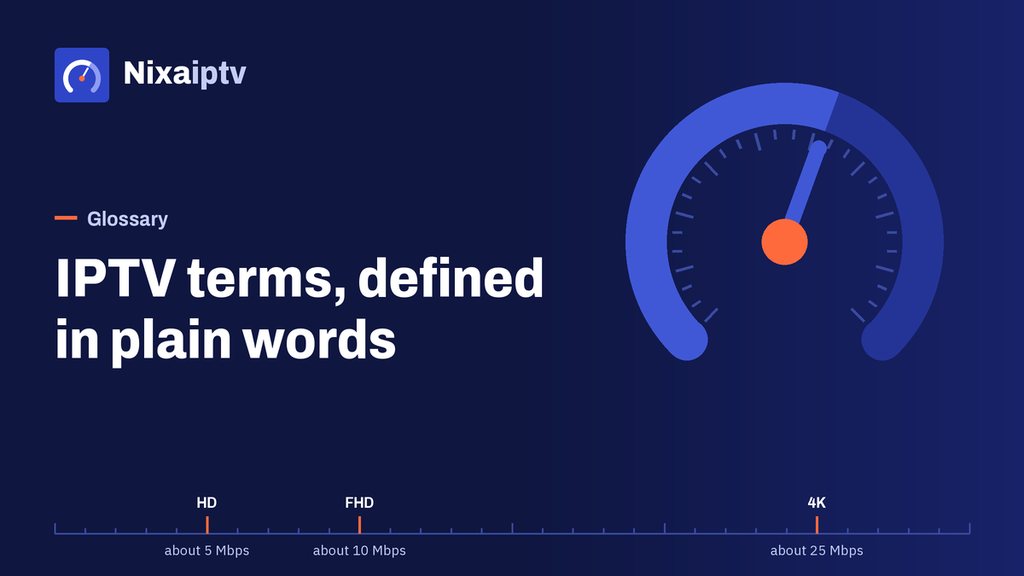
Several definitions below refer back to the same planning numbers. They describe what one screen needs to hold steadily, and they are worth having in front of you before anything else:
| Quality | Steady speed per screen | Data per hour |
|---|---|---|
| HD (720p) | about 5 Mbps | about 2 GB |
| Full HD (1080p) | about 10 Mbps | about 4.5 GB |
| 4K (2160p) | about 25 Mbps | about 11 GB |
Screens add together, and the rest of the household needs roughly half as much again on top.
On the bill and in a speed test
These are the words your internet provider uses. They describe the line before IPTV ever touches it.
Mbps
Megabits per second: the unit for both what your line delivers and what a stream consumes. A byte is eight bits, so 10 Mbps moves about 1.25 megabytes each second. Internet plans, speed tests and stream requirements all speak in Mbps, while download managers often show MB/s, which is why the same connection can seem to have two different speeds.
Download speed
The figure in the advert and the first number a speed test reports. For television, two questions matter more than the headline: what speed reaches the device that plays, and how evenly it holds over several minutes. A line sold as 30 Mbps that spends its evenings nearer 12 is, for streaming purposes, a 12 Mbps line.
Upload speed
Speed in the opposite direction, from your home out to the internet. Watching uses almost none of it, since the player’s requests for the next few seconds of video are tiny. It matters for video calls and photo backups, which is why a slow upload rarely explains a stalled channel.
Latency (ping)
How long a very small message takes to reach a server and come back, in milliseconds. Online gamers care about it a great deal. For IPTV it hardly registers, because the player holds several seconds of picture in hand, so a satellite or 4G connection with a high ping can stream perfectly well as long as its speed stays level.
Speed test
A short measurement of download speed, upload speed and ping. To be useful for IPTV it should run on the television device itself, through a speed-test app or the device’s browser, at the time of day you usually watch, two or three times in a row. A phone beside the router tests a different and usually better connection than the one the TV receives.
Data allowance
A monthly ceiling on how much your plan may download, common on 4G and 5G home routers, satellite internet and some cheaper fixed lines. Video is by far the largest user in most homes: about 2 GB an hour in HD, about 4.5 GB in Full HD and about 11 GB in 4K. Some plans slow down after the limit instead of charging more; the provider’s terms say which.
Between the router and the television
The stretch inside your own walls. It is also where most picture problems on a modest line are solved, usually without paying for a faster plan.
Router
The box that links the home to the internet and shares the connection by cable and Wi-Fi. Where it stands matters more than which model it is: every wall and floor weakens the wireless signal, so a router in a hall cupboard two rooms from the TV hands the screen only part of what the line can do.
Ethernet
A network cable run from the router straight to the TV device. It delivers the full speed of the line without Wi-Fi’s ups and downs, which makes it the single most effective change on an ordinary connection. Many streaming sticks have no socket for it, but adapters made for them add one through the power lead.
2.4 GHz and 5 GHz
The two Wi-Fi bands most routers broadcast, often as two separate network names. 5 GHz carries more data and suffers less interference but fades quickly through walls, so it wins when the television is in the same room as the router or the next one. 2.4 GHz reaches further and through more brick at a lower speed, and in apartment buildings it is crowded, because every neighbor’s router uses it too.
Mesh Wi-Fi
Two or more units that work together as one network, spread around the home so that the TV room has its own access point close by. Useful when the router cannot be moved and a cable cannot be run.
Powerline adapter
A pair of plugs that carry the network through the home’s electrical wiring, one beside the router and one beside the television. Results depend on the wiring, but in older houses with thick walls they often outperform Wi-Fi.
4G or 5G home router
A router that gets its internet from the mobile network through a SIM card instead of a phone line or fiber. It streams IPTV like any other connection. Two things deserve attention: signal strength where the unit sits (a window facing the nearest mast often helps) and the monthly data allowance.
Satellite internet
Broadband from satellites to a dish on the roof, with Starlink the best-known current example. Its latency is high but irrelevant for watching. Steady speed through the evening and any data limit on the plan are the two things to check.
Inside the stream
Words that describe the video itself, and why the same channel can play smoothly in one room and stall in another.
Bitrate
How much data a stream uses each second, in Mbps. It is the stream’s side of the equation, where download speed is the line’s side. When the line delivers less than the bitrate for longer than the buffer can cover, the picture stops. Opening a lower-quality version of a channel lowers the bitrate.
HD, FHD and 4K
Labels for picture size: HD is 720 lines, FHD (Full HD) is 1080, and 4K, also written UHD, is 2160. Each step up asks more of the line, roughly 5, 10 and 25 Mbps per screen. Whether 4K is realistic on your connection, and what to choose when it is not, is the subject of the 4K page.
Quality versions
Separate copies of one channel at different qualities, listed next to each other and usually tagged 4K, FHD or HD in the name. They are what keeps a channel watchable on a slower line: when the 4K copy keeps stopping, the FHD or HD copy of the same broadcast usually plays through. Many channels in the Nixaiptv line-up are carried in more than one.
HEVC (H.265) and H.264
Compression formats, also called codecs. HEVC fits a similar picture into a smaller bitrate, which is why 4K channels often use it. The cost falls on the device: older sticks and televisions may not decode it in hardware and show a black screen or a stutter. H.264 is the older format, a little heavier for the same picture, and practically every device that runs a player handles it.
Adaptive quality
A system in which the player and server move to a lighter version of a stream by themselves when the line slows, then climb back when it recovers. On-demand apps depend on it. Many live IPTV channels are sent at one fixed quality per version instead, so the step down is yours to take: open the FHD or HD copy and it stays there.
Buffer
The few seconds of video a player downloads ahead of what is on screen, so that brief dips in the connection pass unseen. TiviMate, for one, has a buffer-size setting; a larger buffer absorbs longer dips but makes each channel change a touch slower.
Buffering
What happens when that reserve runs dry: the picture freezes or a spinner appears while the player refills. If a single channel does it, try that channel’s other quality version. If everything does it at once, the cause is nearly always the connection: the Wi-Fi band, the distance to the router, or other devices busy on the line.
On the sign-in screen
The fields a player wants on its first launch. When a new login will not open, check these for a mistyped character before blaming the line.
Xtream Codes login
A login made of three fields (where the server lives, who you are, and your password). Most current players accept it and use it to pull in the live channels, the film and series library and the guide together. It is the format Nixaiptv sends after an order, and the Xtream Codes guide walks through each field.
Server URL and port
The address part of that login. It begins with http:// and frequently has a port number tacked on after a colon, for example :8080. Leave the port off and a perfectly correct username and password will still be turned away.
M3U link
A playlist address: your credentials folded into a single URL that returns the full channel list. Playlist-based players such as VLC and Smart IPTV take it in place of the three-field login. Because the credentials sit inside it, sharing the URL shares your plan; keep it out of public forums and group chats. Loading one is covered in the M3U guide.
MAC address and portal
Some apps and set-top boxes identify the hardware by its MAC address, an ID written as six pairs of characters, rather than asking for a username. MAG boxes pair it with a portal address that the provider authorizes for that MAC. Swap the device and the new MAC has to be registered. The MAG and Formuler guide shows where both go.
In the player, once channels load
What you see after the login works, and how each part behaves on a slower line.
Player app
The program that does the playing: IPTV Smarters Pro, TiviMate, Smart IPTV, IBO Player and others. It arrives empty. Channels appear only after a login is entered, and one subscription can run in a different player on each device in the house.
EPG
Short for electronic program guide, the timetable laid out channel by channel for today and the next few days. It loads separately from the channels and is small, so a guide that is blank or a day behind usually needs a refresh in the player’s settings rather than a new login or a faster line.
Channel group
A folder in the channel list, typically a country and then a genre. With 25,000+ channels from 60+ countries, hiding the groups you never open makes the list far quicker to move through with a remote.
Catch-up
Recently broadcast programs that a channel’s archive lets you replay, typically going back a few days. Only some channels offer it, marked in most players with a small clock or rewind symbol. A catch-up replay uses the same data per hour as watching that channel live at the same quality.
VOD
Short for video on demand, the library side of the service: 120,000+ films and series in the Nixaiptv catalog, started whenever you like. Data per hour depends on the quality of the file, exactly as with live channels, so a 4K film on a capped plan uses about 11 GB an hour.
Decoder
The component that unpacks compressed video so the screen can show it. In hardware mode the job goes to a dedicated graphics chip; in software mode the general processor does it, more slowly but with wider format support. When one channel gives sound but no picture, flipping that mode in the player’s settings is a quick first test.
In the plan you choose
Words from the pricing page and the order chat. Each one has a direct link to what your line has to carry.
Connection
One screen playing at a time. A two-connection plan lets two devices play together; the login can be installed on as many devices as you like, but only that many play at once. On a home line, each connection is also another stream to fit: two Full HD screens need about 20 Mbps between them. Nixaiptv sells tiers of 1, 2, 3 and 5 connections; the pricing page sets out every term for each.
Free trial
A short test login. Ours lasts 24 hours, long enough to try the service on your own line, on the television device, at the hour you normally watch. That tells you more than any speed figure printed in an advert.
Term and expiry date
The length you paid for (1, 3, 6 or 12 months) and the day it ends, shown in most players’ account screens. When the date passes, every device stops together, which looks like an outage until someone checks the date.
Money-back period
The window after paying in which a refund can be requested. Nixaiptv’s is 7 days, a backstop for the case where the trial evening looked fine but a full week on your line tells a different story.
Activation
The gap between paying and holding a working login. With Nixaiptv it is under 15 minutes, and the details arrive in the same WhatsApp chat as the order.
Reading a real speed test with these words
Here is how the vocabulary works on an actual result. Say the Fire TV Stick in the living room reports 22 Mbps download, 3 Mbps upload and a 45 ms ping, connected over 2.4 GHz Wi-Fi, measured at 8 p.m.
- Download speed: 22 Mbps divided by 1.5 leaves about 15 Mbps for television. That is one Full HD screen with room to spare, or two HD screens, but not two Full HD screens and not 4K.
- Upload speed and ping: neither affects watching. Ignore them.
- The band: if the router is in the same room or the next one, moving the stick to 5 GHz may lift the figure; an Ethernet adapter would lift it further and steady it.
- Quality versions: on a busy evening when the line drops toward 12, open the HD copy of the channel rather than waiting for the Full HD one to recover.
- Data allowance: if this is a 4G router, two hours of Full HD is about 9 GB; the same two hours in HD is about 4 GB.
The quickest way to put all of this in front of you is the 24-hour free trial: every field from the server URL to the quality tags in the channel list appears in a real player, on your own connection. For the bigger picture of how the pieces fit, start with what IPTV is, and if a setup screen asks for something not listed here, WhatsApp support answers 24/7.
Follow-up questions on this topic
Is Mbps the same as MB/s?
No. Mbps is megabits per second and MB/s is megabytes per second, and a byte is eight bits. Internet plans and stream requirements are quoted in Mbps, while download managers and some routers show MB/s. A Full HD stream at about 10 Mbps moves about 1.25 MB each second, which over an hour adds up to the familiar figure of about 4.5 GB.
What is the difference between bitrate and download speed?
Bitrate is what a stream needs; download speed is what your line delivers. The picture stays smooth while the line's steady speed stays above the combined bitrate of every stream playing, with some room left over. One Full HD stream at about 10 Mbps on a line holding 15 Mbps works; two of them on the same line do not.
Should the TV use the 5 GHz or the 2.4 GHz Wi-Fi network?
If the router is in the same room or the next one, use 5 GHz: it is faster and less crowded. If the signal has to pass through several walls or a floor, 2.4 GHz may hold on where 5 GHz drops out, at a lower speed. Run a speed test on the TV device on each band and keep the steadier one. A cable beats both.
Does HEVC mean a channel uses less data?
For a similar picture, yes. HEVC needs a smaller bitrate than H.264, and that saving is the reason so many 4K feeds use it. The planning figures on this page are per quality level and already allow for typical streams. The catch is device support: if an HEVC channel shows a black screen, open its FHD or HD version instead.
How many connections does a household on one line need?
Count the screens that play at the same moment on your busiest evening, not the devices in the house. Then check that the line can carry them: about 10 Mbps for each Full HD screen or about 5 Mbps for each HD screen, plus roughly half as much again. One connection costs $15 for a month or $69 for a year; two cost $25 or $119.
Does a high ping cause buffering?
Rarely. Ping measures how long a tiny message takes to make a round trip, and the player keeps seconds of video in reserve, so a slow reply goes unnoticed. Buffering comes from the line failing to deliver enough data for long enough, which is a question of speed and steadiness. That is why satellite and 4G connections with high ping can stream well.
A plan sized to the line you already have
One screen for a month costs $15. The login reaches you in the WhatsApp chat under 15 minutes after payment, and 7 days of money-back cover the first week on your own connection.
Keep reading
Cable TV or IPTV: which one suits the internet line in your home
Cable brings its own wire and box; IPTV borrows the broadband you already have. How the two compare on installation, Mbps per…
September 19, 2026IPTV vs OTT streaming: how each one behaves on an ordinary home line
Streaming apps adapt their picture to your line every few seconds; an IPTV channel list plays the fixed copy you pick. What…
September 5, 2026Best IPTV box for an ordinary connection: ports, Wi-Fi bands and decoders
How to choose an IPTV box by the way it reaches your router, the Wi-Fi band it will really use, whether it…