
Put a film from a streaming app and a live channel from an IPTV list on the same 15 Mbps line, let the speed sag for half a minute, and the two react in opposite ways. The app quietly drops to a softer picture and carries on. The channel keeps its sharpness until its few seconds of buffer run dry, then stops to reload. Neither one is broken. They are built on different assumptions about your connection, and once you know which assumption each one makes, you can size both of them to the line you actually have.
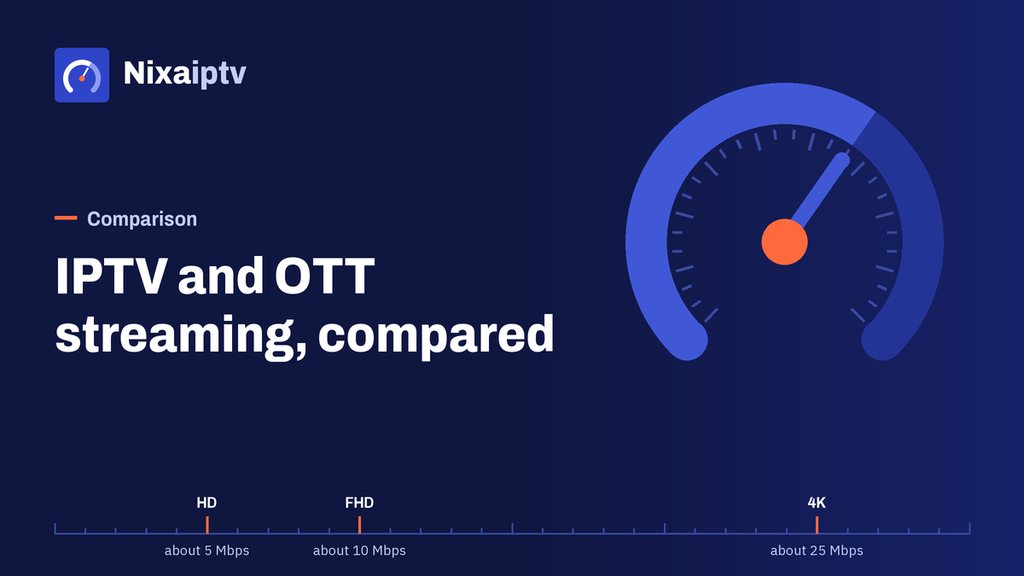
This article compares IPTV and OTT the way they behave on ordinary home broadband: a copper DSL line in a village, a 4G or 5G router on the windowsill, a flat whose Wi-Fi is shared by four people, a satellite dish with a monthly data allowance. For our own streams we use the same figures everywhere on this site: about 5 Mbps and about 2 GB an hour for HD, about 10 Mbps and about 4.5 GB an hour for Full HD, about 25 Mbps and about 11 GB an hour for 4K.
The two terms, in a few lines
In the telecom sense, IPTV means a broadband company delivering television across a network it runs itself, to a receiver box it supplies. Since that company controls every link from its equipment to your living room, it can push one copy of a channel into its network and let the network share it with every home tuned in (this is called multicast), and it can set capacity aside for television on your line.
OTT, short for “over the top”, is video sent across the public internet to an app. Each viewer gets a separate copy, and nothing on the route is reserved for it. All the on-demand apps on a smart TV use this route, as do the apps that carry live channels.
Subscription IPTV services sold online, Nixaiptv among them, reach your home over the public internet too. In delivery terms they are OTT. What makes them “IPTV” in everyday speech is the shape of the product: a list of live channels with a program guide, opened in a player app with a login. So on your line, the useful comparison is not private network against open internet. It is two kinds of player taking two different decisions about picture quality, and two kinds of content loading the line in two different ways.
How a streaming app fits itself to your line
Every title in a large streaming app is encoded several times over, at a ladder of qualities that runs from a small, blurry version up to the sharpest one the service offers. While you watch, the app’s player keeps track of how fast data has been arriving over the last few seconds. It then requests the next short chunk of video from whichever rung of the ladder it judges the line can hold. The technique is called adaptive bitrate streaming, and it runs continuously, every few seconds, without asking you.
Two consequences matter on a modest connection:
- A dip changes the picture, not the playback. When the speed falls, the next chunks come from a lower rung. You see a softer image, sometimes for a minute or two, instead of a spinning wheel. When the speed recovers, the app climbs back.
- The app decides how much data you use. On a fast, steady line it climbs to the top rung and stays there. Data per hour therefore depends on the line as much as on anything you chose, unless you cap it with the data-saving setting most apps include.
An on-demand film also has no deadline. The player can fetch minutes of it ahead of the point you have reached, so a short drop in speed is absorbed by the stock it has already downloaded, long before you would notice anything on screen.
How an IPTV channel list uses the same line
An entry in an IPTV channel list is usually one fixed stream: one resolution, one bitrate, sent as it is. The player does not move up and down a ladder. If your line delivers what that entry needs, the picture is identical minute after minute. If the line delivers less for long enough, the small buffer empties and the player pauses to refill it.
That is the reason most channels in our line-up are carried more than once. A 4K feed sits beside an FHD copy, an HD copy or both, of the same channel. The adapting that a streaming app does by itself, you do once with the remote: pick the copy your line holds steadily, and it stays at that quality for the rest of the evening.
| Copy you pick | Steady speed per screen | Data per hour | Lines it tends to suit |
|---|---|---|---|
| HD (720p) | about 5 Mbps | about 2 GB | A slow DSL line, or a metered 4G plan |
| Full HD (1080p) | about 10 Mbps | about 4.5 GB | Most cable and fiber lines, and a good 4G or 5G router |
| 4K (2160p) | about 25 Mbps | about 11 GB | A wired connection holding 40 Mbps or more |
The trade is predictability. A fixed copy never quietly hands you a worse picture, and it uses the same amount of data every hour, which makes a monthly allowance easy to plan around. The price of that is the choice itself: pick a copy above what the line can hold and it tells you by stopping rather than by blurring.
Live channels and on-demand titles load the line differently
A second difference has nothing to do with IPTV or OTT as such. It is live against recorded, and it applies on both sides.
A live channel can only be fetched as fast as it happens. The player keeps a few seconds in hand, because it cannot download the next ten minutes of a match that has not been played yet. Any drop in speed that lasts longer than that cushion reaches the screen. Live channels inside streaming apps share this limit; they simply hide some of it by stepping down a rung.
A film or an episode is a finished file. Whether it comes from a streaming app or from the 120,000+ films and series in our library, the player can run well ahead of you and build a longer stock. Library titles in an IPTV service are usually a single fixed version too, but that longer stock covers most short dips, so they tend to play smoothly on lines where a live channel at the same quality would stutter.
In practice, if a line plays films without trouble and live channels pause now and then, the line is not failing. It is averaging enough speed without holding it steady, and live television is simply the first thing to show it. The cure is usually a steadier path, such as a cable or a better spot for the router, or a lighter copy of the channel. A faster plan is rarely the answer to a speed that wobbles.
Side by side on the same connection
| Streaming app (OTT) | IPTV channel list | |
|---|---|---|
| Who picks the quality | The app, every few seconds | You, by choosing the 4K, FHD or HD copy |
| A short speed dip | Softer picture for a while | No visible change if the buffer covers it |
| A long speed dip | Lowest rung, then a pause if even that is too much | A pause to reload, until you pick a lighter copy |
| How far ahead it loads | Minutes for films; seconds for its live channels | Seconds for live channels; longer for library titles |
| Data per hour | Varies with the line, unless capped in settings | Fixed by the copy: about 2, 4.5 or 11 GB |
| On a fast, steady line | Climbs to its top quality | Plays exactly the copy you chose |
Latency, the delay usually shown as “ping” in a speed test, barely matters to either. A satellite connection with a high ping adds a moment when you change channel, and nothing once the picture is playing. What both kinds of player care about is speed held steady over minutes, not the headline figure from a single test.
Three ordinary lines, worked through
A copper DSL line in a village, holding about 12 Mbps
A film from an app will usually settle near the HD rung and stay there. A Full HD channel from the list needs about 10 Mbps held steady, which leaves almost nothing for a phone updating in the background, so short pauses are likely whenever anything else in the house is busy. The HD copy of the same channel, at about 5 Mbps, leaves room for everyone else. On this line, choose HD for live channels and let films play in whatever quality the player settles on.
A 4G router on the windowsill with a 300 GB monthly allowance
Speed is often adequate here; data is the limit. An app left to its own devices on a good evening can climb to its highest rung and use far more per hour than you expect, so switch on its data-saving setting. With an IPTV list the number is fixed and easy to multiply: two hours a night of Full HD is about 9 GB, around 270 GB across a 30-day month. The same two hours in HD come to about 4 GB a night, around 120 GB a month. On a metered plan the fixed copy is the easier one to budget, and HD on ordinary weeknights keeps the month inside the allowance with room left for phones.
A flat on 100 Mbps where four people share the Wi-Fi
The line itself has room to spare: two Full HD channels (about 20 Mbps) plus an app playing a series in the kitchen are well within it. The weak link is the Wi-Fi to the television in the far bedroom. On the 2.4 GHz band through two walls the speed swings, the app softens its picture and the live channel pauses. A cable or a powerline adapter to that television, or the 5 GHz band if the set is within a room of the router, does more here than any change of broadband plan.
When an app and a channel share the line
Most homes run both at once, which brings out one more difference. When two streams compete for a line that is short of capacity, the adaptive app gives way: it sees its share of the speed shrinking and drops a rung. The fixed channel cannot give way, because it has nowhere to step down to. If the line has room for the channel’s copy plus a reduced version of the app, the channel keeps its picture and the app looks a little softer. If it does not, the channel is the one that pauses.
So count the fixed streams first. Two Full HD channels need about 20 Mbps between them. Leave roughly half as much again for everything else in the house, which puts the requirement at about 30 Mbps held steady, and whatever remains is the space the apps will adapt into. On a smaller line, move one channel to its HD copy before deciding that the app, the provider or the line is at fault.
The IPTV plan only counts its own streams. Two channels playing at once need a plan with two connections; the streaming app sets its own separate limit on how many screens it allows. The line, though, carries all of them together and does not care which app each stream belongs to.
Checking your own line before you pay
- Run a speed test on the television device itself (the stick, the box or the smart TV’s browser), not on a phone standing next to the router. Do it at the time of day you normally watch.
- Repeat it two or three times, a few minutes apart. The lowest result is closer to what a live channel will experience than the highest.
- Start the 24-hour free trial on that same device. Open the FHD copy of a channel you actually watch and leave it running for twenty minutes or more. Try the 4K copy if your figures suggest the line can carry it, and the HD copy if FHD pauses.
- If your evenings usually include a streaming app in another room, run it at the same time and see which copy of the channel still holds.
If HD turns out to be the steady choice, that is a perfectly good result. It is what the line carries, and it means the picture will behave the same way every evening. Plans are listed by how many screens play at once on the pricing page. Activation takes under 15 minutes, the first purchase has a 7-day money-back guarantee, and support answers on WhatsApp around the clock. The 4K page goes further into what Ultra HD asks of a line, and the glossary explains any term used here.
Follow-up questions on this topic
Why does a film play smoothly while a live channel pauses on the same line?
A film is a finished file, so the player keeps minutes of it in stock. A live channel only has a few seconds in hand, because the next part has not happened yet. A line that averages enough speed but swings shows up on live television first. A lighter copy of the channel, or a cable to the TV, usually settles it.
Does IPTV lower the picture quality automatically, the way streaming apps do?
Usually not. Each channel entry is one fixed copy at one quality. Most of our channels come in more than one copy (4K, FHD, HD), so you choose the copy your line holds steadily and it stays at that quality.
Which uses more data, IPTV or a streaming app?
An IPTV copy uses a fixed amount: about 2 GB an hour in HD, about 4.5 GB in Full HD and about 11 GB in 4K. A streaming app uses whatever its top quality costs on a fast line, unless you switch on its data-saving setting. On a capped plan the fixed figure is the easier one to plan around.
Is subscription IPTV delivered over a private network?
No. Like the streaming apps, Nixaiptv reaches you over the public internet, so your own line and your home Wi-Fi decide how well it plays. Reserved television capacity is something only a broadband operator can offer on its own lines.
Does ping matter for watching live channels?
Very little. A high ping, as on satellite internet, adds a short delay when you change channel and nothing once the picture is playing. What matters is speed held steady over several minutes.
Can one line run an IPTV channel and a streaming app at the same time?
Yes, if it has room for both. Count the channel first: about 10 Mbps for Full HD, plus roughly half again for the rest of the house. The app adapts to what is left. On a line holding 12 to 15 Mbps, use the HD copy of the channel.
A plan sized to the line you already have
One screen for a month costs $15. The login reaches you in the WhatsApp chat under 15 minutes after payment, and 7 days of money-back cover the first week on your own connection.
Keep reading
IPTV vocabulary, starting with the words on your internet bill
35 IPTV terms sorted by where they turn up at home: on the internet bill, between router and TV, inside the stream,…
September 19, 2026Cable TV or IPTV: which one suits the internet line in your home
Cable brings its own wire and box; IPTV borrows the broadband you already have. How the two compare on installation, Mbps per…
September 5, 2026Best IPTV box for an ordinary connection: ports, Wi-Fi bands and decoders
How to choose an IPTV box by the way it reaches your router, the Wi-Fi band it will really use, whether it…