
Nixaiptv costs $15 for one month or $69 for a year on one connection, rising to $239 for a year with five connections playing at once. Those are the only amounts we charge. Whatever else IPTV costs a household comes from the internet line it runs on, and on most ordinary lines that extra is small or nothing at all. This article sets out both halves: every price on our list, and the line-side costs people tend to discover only when the next broadband bill arrives.
Our prices, all sixteen of them
Two choices set the price: how long the term runs, and how many connections can play at the same moment. The figure in brackets is the cost spread across each month of the term.
| Term | 1 connection | 2 connections | 3 connections | 5 connections |
|---|---|---|---|---|
| 1 month | $15 | $25 | $35 | $49 |
| 3 months | $29 ($9.67) | $49 ($16.33) | $65 ($21.67) | $99 ($33.00) |
| 6 months | $45 ($7.50) | $75 ($12.50) | $99 ($16.50) | $149 ($24.83) |
| 1 year | $69 ($5.75) | $119 ($9.92) | $159 ($13.25) | $239 ($19.92) |
Nothing else varies across those sixteen cells. Each one opens the same 25,000+ live channels from 60+ countries, the same 120,000+ films and series, the same 4K, FHD and HD copies of the channels and the same 24/7 support on WhatsApp. There is no contract, no term renews on its own, and prices are in US dollars.
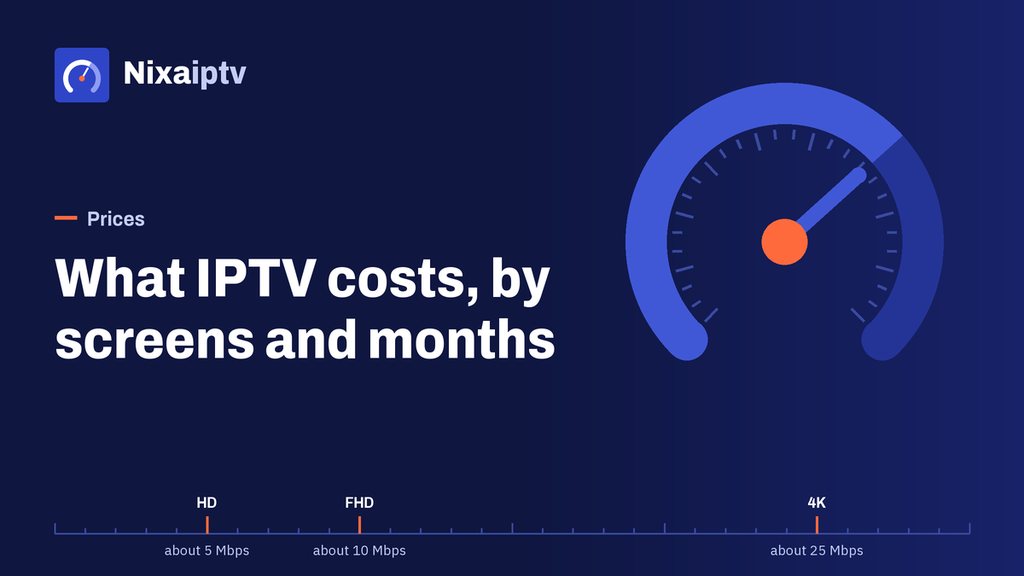
A connection is one stream playing. The player can sit on every television, phone and laptop in the house; the tier only limits how many of them play together. Each of those streams also takes its own slice of your line, about 5 Mbps in HD, about 10 Mbps in Full HD and about 25 Mbps in 4K, which is where the second half of this article begins.
One year, paid four different ways
The gap between paying monthly and paying once is larger than most people guess. On one connection, twelve single months at $15 come to $180, against $69 for a year paid up front: $111 more for the same twelve months.
| Connections | 12 single months | 4 three-month terms | 2 six-month terms | 1 year | Monthly costs this much more |
|---|---|---|---|---|---|
| 1 | $180 | $116 | $90 | $69 | $111 |
| 2 | $300 | $196 | $150 | $119 | $181 |
| 3 | $420 | $260 | $198 | $159 | $261 |
| 5 | $588 | $396 | $298 | $239 | $349 |
The year is the cheapest way to keep watching once you know your line carries the service well. It is not the right first purchase if you do not know that yet. The 24-hour free trial exists to answer exactly that question for nothing, and a single month after the trial is a fair second step if a busy weekend or a change of router is still ahead of you.
Four costs that come from the line, not from us
None of what follows is charged by Nixaiptv, and none of it is certain. Each is a cost that some households meet and most do not. The most expensive of the four is also the one most people can skip.
A faster broadband plan, which most homes can do without
The usual reaction to a stuttering picture is to ring the internet provider and move up a tier. Before doing that, compare what the screens actually need with what the line actually delivers. One Full HD screen needs about 10 Mbps held steady; allow roughly half as much again for phones, updates and video calls, and the line should hold about 15 Mbps. Two Full HD screens need about 20 Mbps, or about 30 Mbps all in. A single HD screen is content with about 5 Mbps.
When a line sold as 100 Mbps still stutters on one Full HD channel, the plan is almost never the problem. The weak point is the path from the router to the television: Wi-Fi through two walls, a 2.4 GHz connection across the house, or a smart TV whose own speed test shows a fraction of what a phone beside the router reports. A faster plan pays every month to fix something a cable fixes once.
Put a number on it. If the next tier up cost, say, $20 a month more, that would be $240 a year, about the price of a five-connection Nixaiptv year, spent on speed the screens were never short of. The check that tells you whether you need it costs nothing: a speed test run on the television device itself, at the hour you usually watch, three times in a row, with the lowest result compared against the figures above.
The case where an upgrade earns its keep is narrow. A copper line holding 8 Mbps carries one HD screen comfortably, but not a Full HD one, and not two screens at once. If two people in that house want separate screens every evening, the line itself is the limit, and that is the situation a faster plan or a different kind of line genuinely helps with. One screen at a time does not need it.
Data beyond your allowance
Many fixed lines are unlimited, but plenty of homes are not: 4G and 5G home routers, satellite internet, some rural plans and some cable plans with a monthly cap. On those, television costs data, and data past the allowance can cost money. Our copies use a fixed amount each hour, so the month is easy to predict.
| Viewing each day, one screen | HD, about 2 GB an hour | Full HD, about 4.5 GB an hour | 4K, about 11 GB an hour |
|---|---|---|---|
| 1 hour | about 60 GB a month | about 135 GB a month | about 330 GB a month |
| 2 hours | about 120 GB a month | about 270 GB a month | about 660 GB a month |
| 4 hours | about 240 GB a month | about 540 GB a month | about 1,320 GB a month |
Providers handle overage in different ways: a fee for each extra block of data, a slower speed once the allowance is used, or a nudge onto a bigger plan. Take a plan with 200 GB a month and, for instance, a $10 charge for every extra 50 GB. Two hours a night of Full HD uses about 270 GB, which is 70 GB over, two extra blocks and $20 a month: more than a one-connection month of Nixaiptv. The same two hours in HD use about 120 GB and stay inside the allowance with 80 GB left for everything else. Picking the copy to fit the allowance costs nothing at all.
A cable, an adapter or a powerline pair
The cheapest fix for most picture trouble at home is a wire. A flat Ethernet cable long enough to run along the baseboard into the next room typically costs $10 to $20. Most streaming sticks have no network socket of their own, so they need a small USB Ethernet adapter, usually $15 to $25. Where a cable cannot reach, a pair of powerline adapters carries the connection through the house’s electrical wiring, at roughly $40 to $90 for the pair; results depend on the wiring, so keep the receipt. A mesh Wi-Fi system costs more again and is mainly worth it when several rooms have a weak signal, not just the one with the television.
If the router and the television are in the same room, or the set is close enough to use the 5 GHz band, this line of the budget is zero.
A player device, if the television cannot run one
Most smart TVs from recent years, along with phones, tablets and computers, can run an IPTV player with nothing added. An older television, or a smart TV whose app store lacks a good player, needs a streaming stick or a box: roughly $30 to $60 for a stick, more for a box. A box with an Ethernet socket built in covers the device and the wire in one purchase, which is worth weighing when the television sits far from the router. Player apps themselves are mostly free; a few charge a small fee for extra features. None of that money comes to us, and none of it is required.
Three first-year budgets, line costs included
Three households, three ordinary lines, each costed for the first year and the year after.
| Household | Plan | Added for the line | First year | Year two |
|---|---|---|---|---|
| One older TV, copper line at about 16 Mbps | 1 connection, 1 year: $69 | Stick about $40, USB adapter and cable about $30 | about $139 | $69 |
| Two viewers, 5G router, 250 GB allowance | 2 connections, 1 year: $119 | Nothing: HD as the everyday setting | $119 | $119 |
| Family on fiber, TV upstairs | 3 connections, 1 year: $159 | Powerline pair about $60; upgrade declined | about $219 | $159 |
The older television on a copper line
The set has no app store worth using, so it needs a stick, and the router is in the hall, so the stick needs a USB adapter and a cable along the hallway. At about 16 Mbps the line carries one Full HD screen with the headroom it needs, and the HD copy of each channel is there for the evenings when the line sags. No broadband change is needed. Most of the first-year extra is hardware bought once.
Two viewers on a 5G router with a 250 GB allowance
Speed is not the issue here; the allowance is. Two people watching about an hour and a half each night in Full HD would use about 13.5 GB a day, around 405 GB over a month, far past 250 GB. The same viewing in HD comes to about 6 GB a day, around 180 GB a month, leaving some 70 GB for phones and everything else. Setting both screens to HD by default, with Full HD kept for the odd film night, keeps the line-side cost at zero.
A family on fiber, with the main television upstairs
The internet provider suggested a faster tier when the upstairs picture kept pausing. Three Full HD screens need about 30 Mbps, about 45 Mbps with headroom, which the existing fiber plan covers many times over. The trouble was the Wi-Fi between the downstairs router and the upstairs set, and a powerline pair settled it. If the plan carries a monthly cap, it is worth a glance: three people averaging two hours of Full HD a night would use about 810 GB a month.
Checking what your line will add, before paying
- On the television device itself, run a speed test three times at your usual viewing hour. Write down the lowest figure.
- Add up the screens you expect to play together: about 5 Mbps for each in HD, about 10 Mbps in Full HD, about 25 Mbps in 4K, plus roughly half again for the rest of the house. If the lowest figure covers it, the faster plan is off your list.
- If your plan has an allowance, multiply your usual hours by about 2, 4.5 or 11 GB and by 30. If the result is close to the limit, plan on HD for everyday viewing.
- Run the 24-hour free trial on that device, at that hour. Leave a Full HD copy playing for twenty minutes. If it holds, the line adds nothing. If it pauses, try the HD copy, then a cable, before anything that costs money every month.
- Only then choose the tier and term on the pricing page.
One detail is worth knowing in advance. The 7-day money-back guarantee covers problems with the service that support cannot fix, but not problems caused by your own internet connection; the refund policy spells this out. That is the practical reason to test the line during the free trial rather than after paying.
What never appears on a Nixaiptv bill
- No activation or setup fee. Your login arrives in the WhatsApp chat, usually under 15 minutes after payment.
- No automatic renewal. A term ends, and renewing is your decision.
- No lifetime plan. The longest term is one year, because nobody can honestly sell more than that.
- No extra charge for 4K, for the film and series library, for the program guide or for support.
- No private quotes. The prices in the table above are the prices, for everyone.
For what the service includes beyond price, the 4K page explains which lines can take Ultra HD, and the player guide covers the player apps that run it on each kind of device.
Follow-up questions on this topic
How much does IPTV cost per month with Nixaiptv?
A single month on one connection is $15. Longer terms lower the monthly figure: $29 for three months (about $9.67 a month), $45 for six ($7.50) and $69 for a year ($5.75). Two, three and five connections cost more, and every price is in the table on this page.
How much more does paying month by month cost over a year?
On one connection, twelve months at $15 come to $180, against $69 for a year paid up front, so $111 more. The gap grows with the tier: $181 on two connections, $261 on three and $349 on five.
Do I need faster internet to use IPTV?
Usually not. One Full HD screen needs about 10 Mbps held steady, plus roughly half again for the rest of the house. If a line rated well above that still stutters, the cause is usually the Wi-Fi between the router and the television, which a cable or a powerline pair fixes for a one-off cost.
How much data does IPTV use in a month?
About 2 GB an hour in HD, about 4.5 GB in Full HD and about 11 GB in 4K, for each screen. Two hours a night of Full HD comes to about 270 GB over 30 days; the same viewing in HD is about 120 GB.
Are there fees on top of the plan price?
Not from us. There is no activation fee, no setup fee, no extra charge for 4K or the library, and nothing renews automatically. Costs that can come from your side are a cable or adapter, a streaming device if the television cannot run a player, and data overage on a capped plan.
Does the money-back guarantee cover a slow internet connection?
No. The 7-day guarantee covers service problems that support cannot fix, not problems caused by your own internet line. That is why the 24-hour free trial matters: run it on your own line, at the hour you usually watch, before paying.
A plan sized to the line you already have
One screen for a month costs $15. The login reaches you in the WhatsApp chat under 15 minutes after payment, and 7 days of money-back cover the first week on your own connection.
Keep reading
IPTV vocabulary, starting with the words on your internet bill
35 IPTV terms sorted by where they turn up at home: on the internet bill, between router and TV, inside the stream,…
September 19, 2026Cable TV or IPTV: which one suits the internet line in your home
Cable brings its own wire and box; IPTV borrows the broadband you already have. How the two compare on installation, Mbps per…
September 19, 2026IPTV vs OTT streaming: how each one behaves on an ordinary home line
Streaming apps adapt their picture to your line every few seconds; an IPTV channel list plays the fixed copy you pick. What…